
Pivotal data moment #1
From VLOOKUP to join
It is 2015. A younger version of me is busy processing hundreds of survey forms in Excel, preparing to run an analysis in SPSS. Working on my thesis.
The phone call that started it
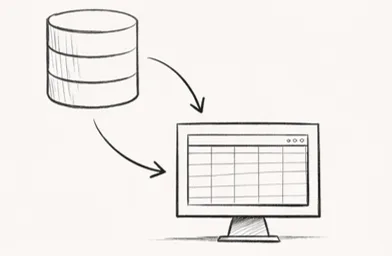
While cleaning the data I called a friend, Martijn. My question was simple: if table 1 and table 2 both contain the same ID, can I not look up a field from one in the other?
Answer: yes. VLOOKUP.
That moment showed me for the first time that separate tables do not have to stay separate. And what I did not know yet: in the data world this principle is not called VLOOKUP, it is called a join. And that is what this is about: the good old join!
If you understand VLOOKUP, you already understand a lot about joins
You have a table on the left, a table on the right. You use a shared column to connect them. That column is called a key. Up to that point, it is basically just VLOOKUP.
But when you are really engineering with data, the questions get bigger:
- Which rows do I want to keep?
- What do I do with records that have no match?
- Do I expect one match or multiple?
- Is my model actually correct?
That is exactly where it shifts from an Excel trick to real data modelling. For all those questions there are different joins. Click one to read the explanation, listed in order of complexity:
Click a join above to read the explanation.
Your goal:
You want only the rows that have a match in both tables.
The join:
Only what matches on both left and right survives. A row that exists in just one of the two? It drops out.
For example:
You join your customer list to your order overview. Customers without an order disappear. Orders with an unknown customer number also disappear.
You use this for:
A revenue report where you need both customer info and order info. Everything must match from both sides.
Your goal:
You want to keep your left table intact and look up information to add.
The join:
Everything on the left stays. The right table fills in where a match exists. No match? Empty cells, not an error.
For example:
You want to see all customers, including those who have never placed an order. Anyone without an order gets empty order columns.
You use this for:
When your left table is your starting point and you want to pull in supplementary info. This feels the most like VLOOKUP.
Your goal:
You want the right table as your starting point, with additions from the left.
The join:
The same idea as a left join, but flipped. Now the right side is your anchor.
For example:
You want to see all orders, even if the customer no longer exists in your customer file. Every order stays, including those with an unknown customer number.
You use this for:
In practice, most people just swap the tables and use a left join. But it is good to know this variant exists.
Your goal:
You want to see everything. From both tables, even rows without a match.
The join:
Everything stays visible. From both lists, whether or not there is a match. Empty columns where the match is missing.
For example:
Which customers have never ordered and which orders belong to a customer number that no longer exists? Both appear in one overview now.
You use this for:
Reconciliations where you cannot afford to miss anything. Exactly the kind of check Finance regularly needs.
Your goal:
You want to generate every possible combination of two lists.
The join:
Every row from list 1 is combined with every row from list 2. No key column needed.
For example:
You have 4 sales regions and 12 months. A cross join gives you all 48 combinations. Useful as a starting point for a budget template or planning matrix.
You use this for:
Watch out: 100 rows × 100 rows = 10,000 rows. Use this deliberately, never accidentally.
Your goal:
You want to make a hierarchy or relationship visible that already exists inside the table.
The join:
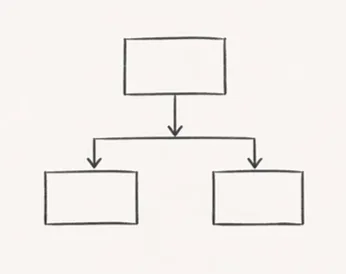
You join a table to itself. It sounds odd, but it works when the relationship is already internal.
For example:
You have an employee table with a ManagerID column. That ID points to another row in the same table. With a self join, you retrieve each employee's manager name.
You use this for:
Cost centre hierarchies, product categories with subcategories, or any situation where rows refer to other rows in the same table.
Your goal:
You want to see exactly what has no match.
The join:
Only the rows without a match survive. Very powerful for exception reporting and data quality.
For example:
Which customers have never ordered? Which budget lines have no actual costs yet? Which invoices have not been paid?
You use this for:
Quality checks, onboarding reports, or any report where you want to see what is missing or not yet done.
Your goal:
You want to filter based on another table, without adding those columns.
The join:
You check whether a match exists, but do not pull in the extra columns. Your list stays clean.
For example:
Give me all customers who have placed at least one order, but I do not need the order details. Result: a clean customer list.
You use this for:
Key difference from inner join: a customer with five orders gives five rows with an inner join. With a semi join, always one. No duplicates.
Why this is more than a trick
A join is not the most technically complex part of data work.
If you understand the variations above, you are already halfway there. The syntax is not that hard either, especially with this page as a reference.
The only thing left after that is the question of whether you are actually joining the right tables, keys, and levels of detail. And that is exactly why joins are such a good topic.
They seem small. But they immediately touch on how you think about, structure, and validate data.
That is also why this topic naturally leads into my data modelling workshop: there it is no longer just about connecting tables, but about why a model does or does not work.
Why this was a pivotal moment for me
My data journey did not start with Power BI, not with SQL, and not with any fancy platform. It started with an Excel moment.
With the realisation that two tables together can tell more than either can alone. And honestly, I still think that is one of the best things about this field: making connections!
That is also how I approach topics like this on my site and in training: calmly, logically, without unnecessary smoke and mirrors. More about that in my approach.
Have a topic where you think: I want to really dig into this with my team? Use the contact form.