Notes from the Power BI Gebruikersdagen 2026
AI now builds your data model too
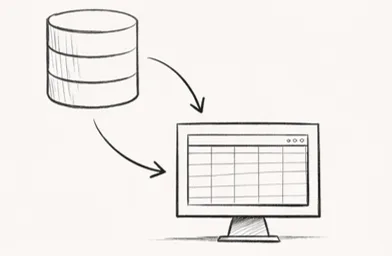
At the Power BI Gebruikersdagen I noticed that AI is no longer limited to analysis or visualisation. It now also plays a role in building data models. If you set up your Power BI environment a little more technically than just workspaces and reports, you can have semantic models generated with AI.
The idea is not that AI invents a model for you, but that you give it instructions. Those instructions can be extended with so-called skills, in which you define how your model should be structured. Based on that, an agent can build tables, create relationships, generate measures and consistently apply synonyms, descriptions and naming conventions. This happens in code and closely resembles working with TMDL, except you no longer write the model yourself but have it generated based on your rules.
What this gives you
This helps on two fronts. You save time on the technical setup of a model and you can enforce consistency. Not just within a single model, but across everything you build. You define how you work once and then let that be executed.
To use this you need a few things: a Power BI Project (PBIP) with a local model, a development environment with Visual Studio Code and GitHub Copilot, and an MCP server that connects AI to your model. In addition, you work with instructions and skills in which you define which terms you use, how your model is structured and how measures and metadata are organised.

The building blocks
To get this working you need a number of components that together allow AI to actually operate on your model:
-
A Power BI Project (PBIP)
So your model is available as code and can be edited locally. -
Basic knowledge of TMDL
You do not need to write it entirely yourself, but you do need to understand what is being generated. -
Visual Studio Code
Your development environment for opening and editing the project. -
GitHub and a repository
To version your model and collaborate. -
GitHub Copilot
To generate code and steer the agent. -
A Power BI or Fabric MCP server
This gives AI access to your model and allows it to perform actions. -
Instructions and skills
Text files in which you define how your model should be built: business terms, star schema, synonyms and descriptions, measure structure and performance best practices. -
Iteration
The first version is rarely perfect. You adjust, sharpen your instructions and regenerate the model.
Together, this means you not only build faster but also maintain a consistent way of working across projects.
Reflection
What becomes visible here is that the tooling is shifting. You type less yourself and direct more. But the foundation does not change: you need to know what a good model looks like before you can have one generated. AI accelerates the building, not the thinking.
Building that foundation is exactly what I focus on in the custom Power BI training I provide. Whether it is a data modelling workshop or a longer programme, modelling, DAX and understanding data structures remain essential.
Want to set this up step by step? I have put together a checklist that guides you through the entire process.
The other topics in this series are on the overview page.