
My notesPractical Power BI tips
TMDL view on the web: your model as readable text in the browser
What you'll learn here
I have been explaining TMDL as the readable form of your data model for a year now, and anyone who wanted to see it for themselves was sent off to install Power BI Desktop first. Since the July update that detour is gone: the TMDL view now also lives in the web version of Power BI.
Say you are a sales manager at a building materials wholesaler. The margin report was built by a colleague who left last year, and on Tuesday morning the director asks why Margin % shows 31% there while your own Excel says 28%. Until July that question meant installing Desktop, hunting down the file, or waiting for someone from BI. Now it means opening your browser.
What the editor gives back
The TMDL view runs in the Power BI Service, the web version of Power BI where your published models live. It runs there as a preview: released for you to use, and Microsoft may still change it. In Power BI Desktop the same view is already generally available. You open it on a semantic model, get an empty screen, and drag one object into it from the Data pane. What comes back is the full definition of that object as plain text, in TMDL, the readable text form I introduced in your first agentic Power BI report. That text is about the agreements in your model, never about the numbers themselves.
One thing up front, because it surprises everyone who tries this for the first time: you can only get in with write access on the semantic model, even if all you want to do is read.
The four lines behind Margin %
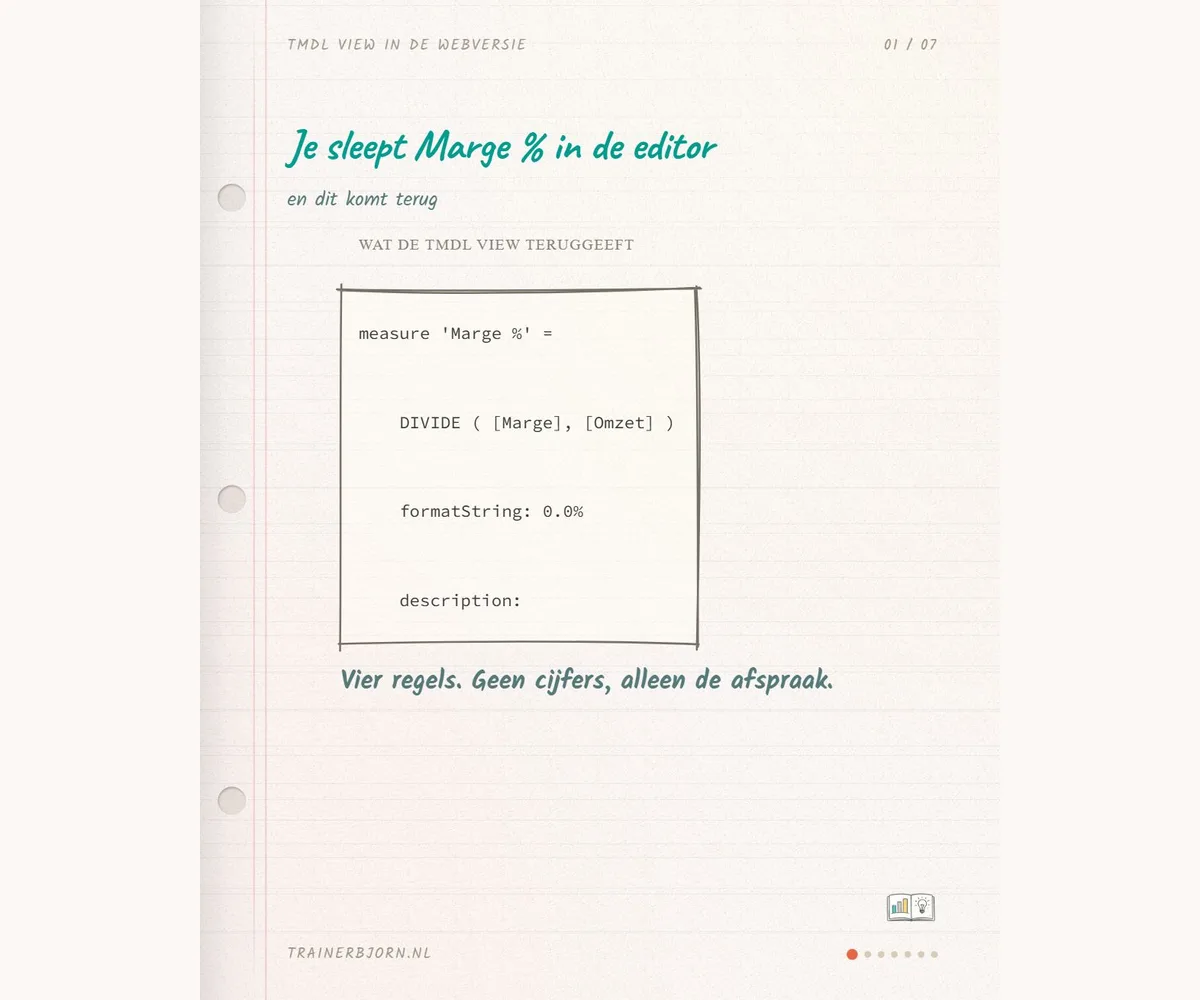
Drag Margin % into the editor and four lines come back:
measure 'Margin %' = DIVIDE([Total margin], [Total revenue])
    formatString: 0.0%
    /// description: (empty)
Flip the cards to see what each line tells you:
And with that, the Tuesday question is answered: the measure divides totals, 1,240,000 by 4,000,000, which is 31.0%. Your Excel calculates a margin percentage per order and averages those 240 outcomes, which is why it lands on 28%. Both defensible, and the answer was sitting in four lines of text.
Same move, whole table
Change one thing and drag the Orders table into the editor instead of the measure. Same move, and what you drag in decides how much you get back: roughly a hundred and twenty lines instead of four, with 11 columns and 6 measures. One of them is also called Margin, with a different formula underneath, and you never saw that one at measure level. The sheer size of the text makes something visible that the report itself never shows: everything that has been agreed inside that one table.
Browser or Desktop
There are now two places to look at the same model, and the dividing line is simple:
Try it tomorrow
Take the report you know least well and walk through these five steps:
Reading has become cheap. Getting your published model in front of you as text used to cost an installation, a download and Desktop knowledge, and it now costs a browser, one drag and write access. The boundary belongs in the same sentence: the TMDL view only touches the agreements in your model, the numbers remain Desktop work, and whatever an agent makes of that text is a draft, not a verdict.
Want to walk through this with your own model, or figure out together what was agreed inside an inherited report? Happy to think along, have a look at trainerbjorn.nl.